Kurahi by KODA SōKEN · self-hosted enterprise agent platform
Agents that work for you. Decisions that stay yours.
Kurahi connects to the systems you approve, prepares the routine work your teams do every day (invoice cases, reply drafts, approval packages, design documents for legacy code) and brings every decision to the right person. You set how far each routine may go on its own. Japanese-first, in English too.
- Runs inside your network
- Autonomy from L0 to L3, set by you
- Signed evidence for every run
One workflow, start to finish
An invoice arrives by email. Most invoices follow the routine path; a few raise an exception that a person investigates. Business edition, routine at L1 Prepare.
Routine path
Exception path
Who does what
Built for organisations that answer for their work
- Fig 1
Your data stays in your network
Kurahi is installed on your servers. Work items, documents, evidence and the audit log stay there, and you decide which models and cloud services, if any, take part.
- Fig 2
You decide how much to hand over
Every routine runs at an autonomy level from L0 observe to L3 act externally. The model never holds a tool that can send, pay or delete; the engine executes only what the level allows.
- Fig 3
It works the way Japanese companies work
稟議 approval routes, 15 department workspaces, connectors to kintone, freee, Money Forward, SmartHR, LINE WORKS and Box, and documents in Word, Excel and PowerPoint.
An edition for your work, one platform
Choose the edition for the work you do. Every edition runs on Kurahi Core, with the same controls.
Business
Back-office autopilot across 15 departments, with 稟議 approval routes and email intake that flags fraud.
Learn moreIndustrial
Legacy analysis for COBOL, PL/I, FORTRAN, Java, SQL and PLC code, change detection and 設計書 in Word.
Learn more
220 capabilities. Every one verified in code.
The full list of what Kurahi Core and each edition do, published. If it is on this list, it is in the source code.
Choose how much to hand over
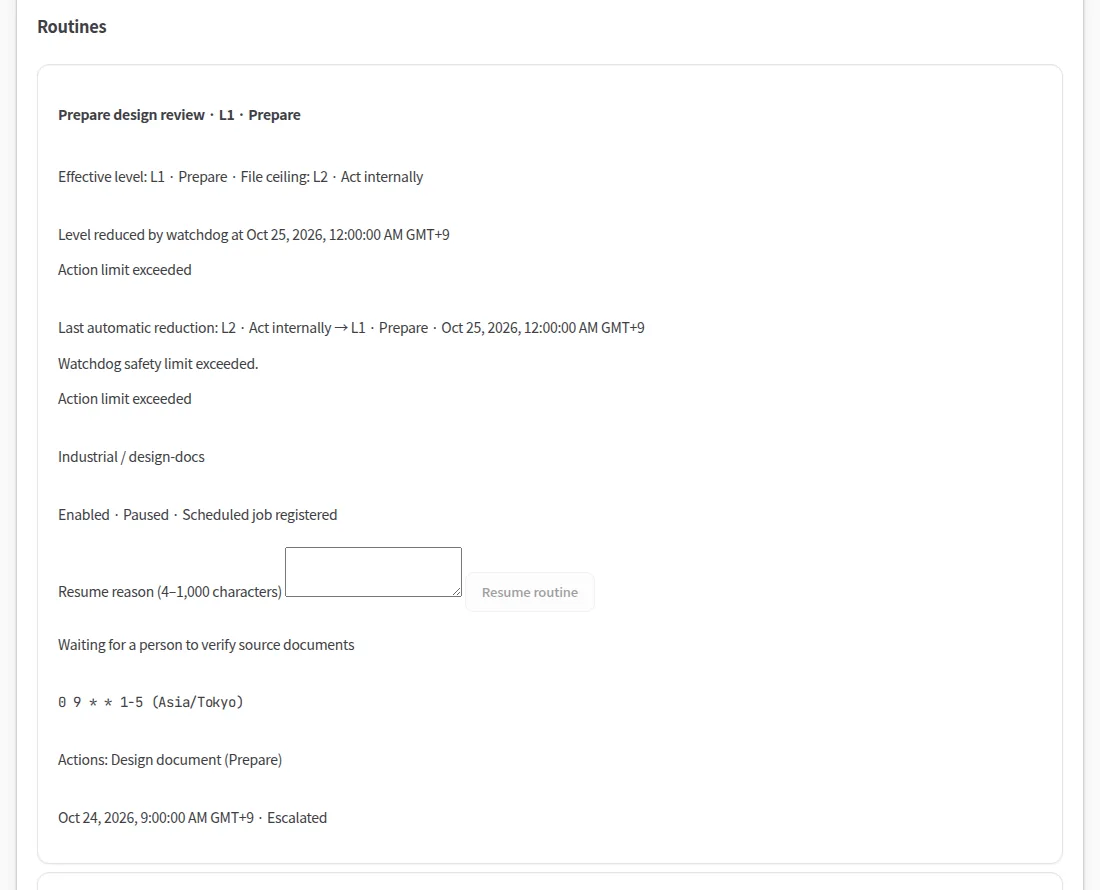
Autonomy is set per routine, never assumed. A routine earns a higher level from its own record, a person accepts it, and a serious error lowers it again.
Inside your boundary
Kurahi is a service you run, not a service you send data to. People sign in with your identity provider, the agents read your systems where they are, and evidence stays on your servers.
Built to pass your security review
The controls your information security team will ask about are part of the product, not an add-on.
Security and governance- Single sign-on with OIDC or SAML 2.0
- SCIM 2.0 provisioning, departments, teams and roles
- Attachment quarantine and malware scanning that fails closed
- Signed evidence for every run and a hash-chained audit log
- Enterprise package: consumer-channel plugins omitted and refused at runtime
- Emergency stop for every routine, even without the API
SSO, SCIM, roles, attachment scanning, signed evidence and audit are included in every plan, Free included.
Works with what you already run
Connectors are off by default and read-only by default. Every write is a separate administrator opt-in that waits for a person's approval.
- Microsoft 365
- Gmail
- Microsoft Entra ID
- kintone
- freee 会計
- マネーフォワード クラウド請求書
- SmartHR
- LINE WORKS
- Box
- IBM watsonx
- A2A
- MCP
- OIDC
- SAML 2.0
- SCIM 2.0
- OpenTelemetry
Product names are trademarks of their respective owners. Their use does not imply endorsement.
All integrationsStart free. Scale by agreement.
The self-hosted platform is free. Digital staff and enterprise operations are by written agreement.
Start with one workflow.
Tell us about the work you want to hand over. We will show you Kurahi on your own process, then help you decide how far to take it.
Contact us
A conversation about the work, the systems involved and who approves what. A demo on a process like yours.
Contact usGet a quote
For digital staff, the data governance suite, air-gapped deployment and SLA support, by written agreement.
Get a quoteStart free
Install Kurahi on your own server and run the editions, the work queue and autopilot at L0 and L1 at no charge.
Start free
Frequently asked questions
Security
Where does our data live?
In your network. Kurahi is installed and operated on your own servers; work items, documents, evidence and the audit log are stored there. Connectors and model providers are off until an administrator turns them on, so data reaches a cloud service only through the ones you configure.
What leaves an audit trail?
Every autopilot run writes a signed evidence bundle: a hash-chained event log and a signed manifest recording what was read, what the model proposed, each decision and the approval it ran under. Approvals, flag clearances and configuration changes are in the audit log. Evidence can be verified offline.
Product
Which AI models does Kurahi use?
The ones you choose. Agent sessions work with hosted, self-hosted and local models, including models that run inside your network and IBM watsonx.ai. Autopilot reasons through a model backend with no tools. Changing provider is configuration, not code.
How is autonomy limited?
Each routine has an autonomy level set by your administrator, from L0 observe to L3 act externally. L3 only works under a standing approval a person made, limited to named recipients, a template, a daily maximum and an expiry. Payments, contracts, decisions about people, bank-detail changes and anything flagged always go to a person.
Getting started
What is free?
The self-hosted platform: the editions, the work queue with approval routes, the connectors, Word, Excel and PowerPoint documents, SSO, SCIM and roles, attachment scanning and autopilot at L0 and L1. Security is included in every plan. Digital staff at L2 and L3 and the enterprise features are by written agreement.
Do you support Japanese?
Kurahi is designed Japanese-first: the console, the documentation, approval routes and design documents work in Japanese, and in English too. Enterprise agreements include SLA support in Japanese and English.